
The club moved its records to this site in 2026. If you were already a member, you do not join again: you create a login, and the site connects it to the club's existing record of you by matching your email address.
Never been a member? The same steps create a fresh account, and the site walks you straight into joining.
Step 1: Open the site and select Member sign in
Go to www.agmc57.club. In the top right corner, select Member sign in. On a phone, tap the menu button first and the same link is at the bottom of the menu.

Step 2: Choose Sign up
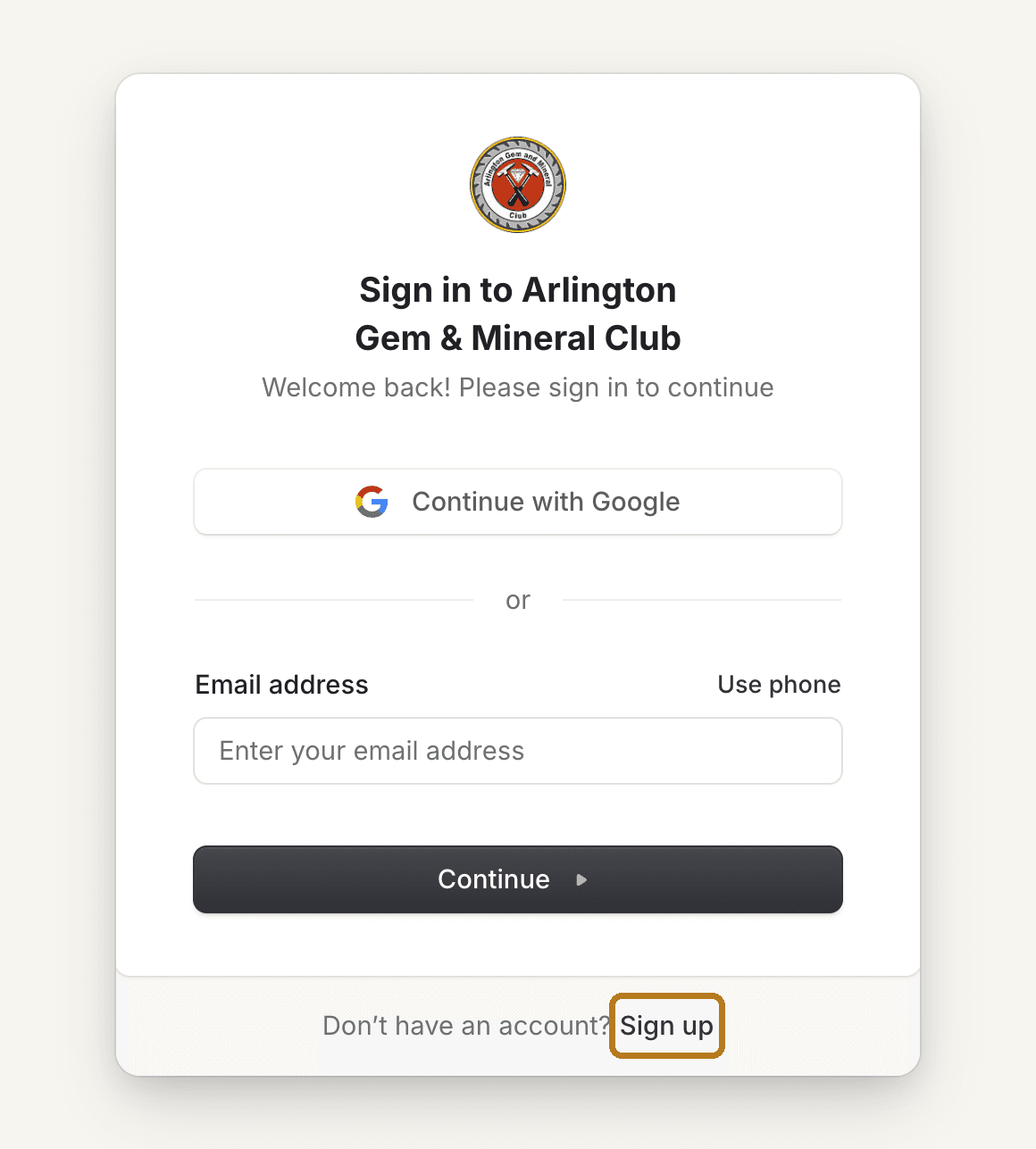
The sign-in screen appears. If you have never created a login on this site before, select Sign up at the bottom, next to "Don't have an account?".
Already made a login? Sign in here instead, with Continue with Google or your email and password, then type the code the site texts to your mobile (Check your phone).
Step 3: Create your login
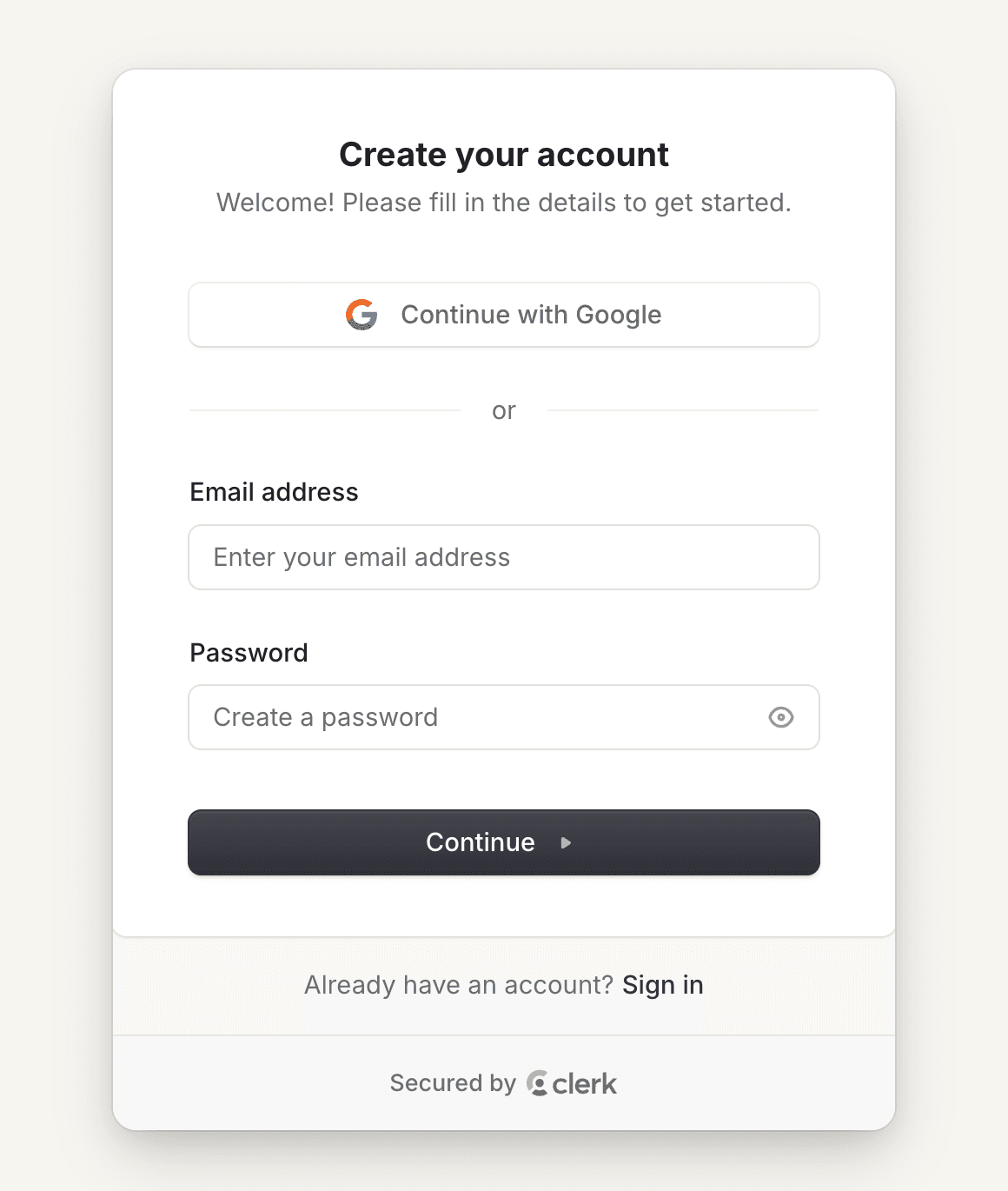
Pick one of two ways to sign in from now on. If your club email is a Gmail or Google account, Continue with Google is the quickest: no password to remember. Otherwise type your email address, create a password, and select Continue.
With an email and password, the site emails you a six-digit code (Verify your email). Type it in to prove the address is yours.
Step 4: Add your mobile number
Next the site asks you to protect your account with a texted code. On the screen titled Add phone number, type your mobile number and select Continue.
The site texts a six-digit code to that phone (Verify your phone number). Type it in and select Continue, then Continue once more on SMS code verification enabled. Google sign-ins get this step too.
Step 5: Pick yourself, if the site asks
Some households share one email address. When the club's records list more than one adult under yours, the site shows Which member are you? with each name and their member-since date. Choose your own name and select Continue.
Each login needs its own email address, so only one adult can sign up with a shared one. Everyone else on it: email support@agmc57.club with your own address first, an officer adds it to your record, and then you sign up with that address. If the site says That email address is taken, a login already exists for it: if you started before and stopped partway, select Member sign in to pick up where you left off.
Children never appear in this list. Juniors do not get logins; a parent's account manages their classes.
Step 6: Review your details
The first time in, the site shows Welcome, (your first name). Let's check your details. This is the paper membership form, moved online: check your name and phone, add your date of birth and an emergency contact, confirm the household mailing address, enter a birth date for each junior in your household, and accept the membership waiver.
When every step shows a green check, select Everything looks right. Open my account.
Step 7: You are in
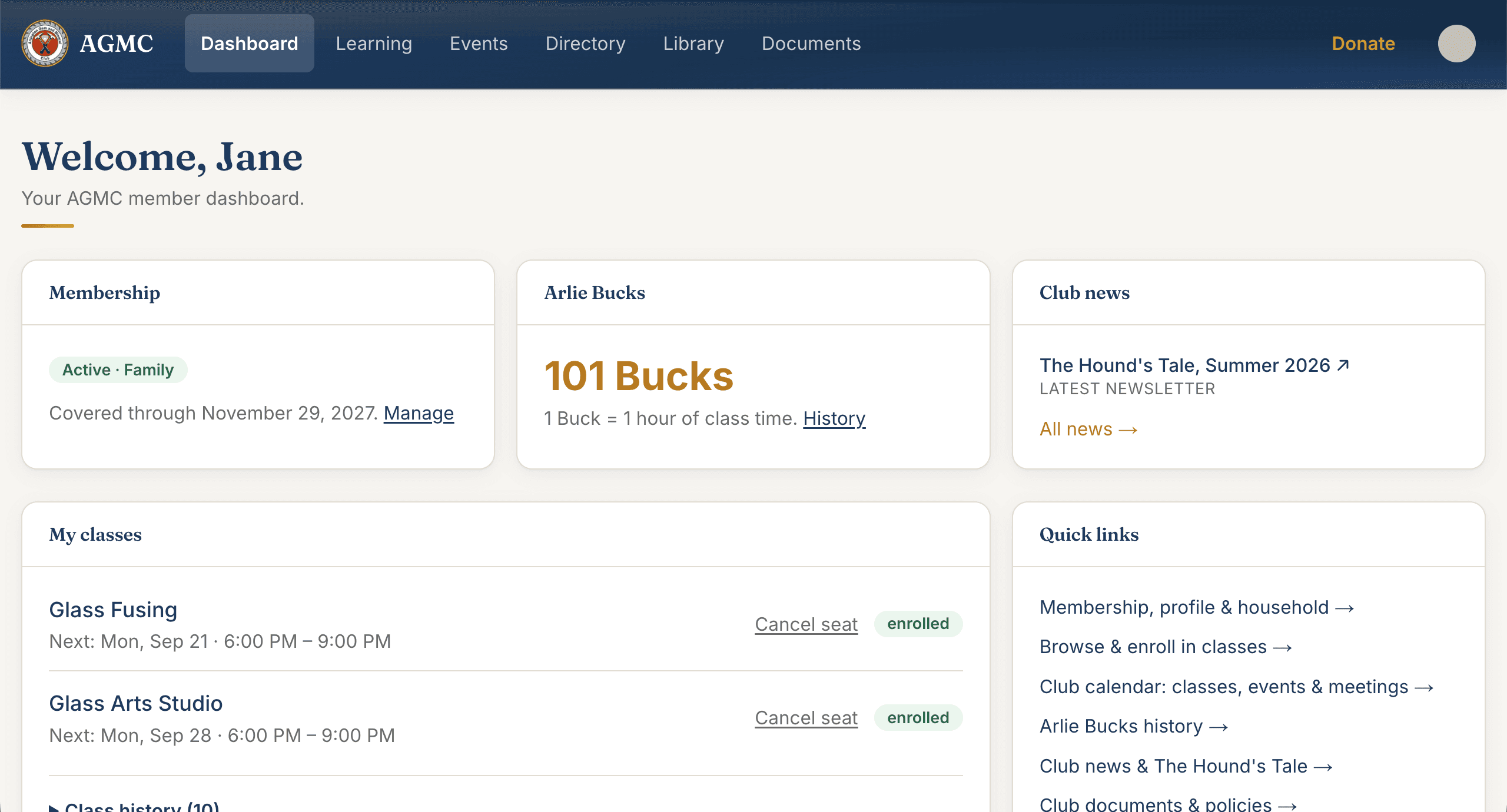
Your dashboard shows your membership status, your Arlie Bucks balance, club news, and the classes you are signed up for. The links across the top take you to Learning (classes), Events, the member Directory, the Library, and club Documents.
Next time, select Member sign in and use whichever method you chose: Google, or your email and password. The site then texts a code to your mobile (Check your phone); type it in and you are in.
Need a hand?
Email support@agmc57.club and mention this guide and the step you were on. Nothing you do on the site is permanent: an officer can fix any record, refund any charge, and move any seat.