
Teaching has three parts: before class, on the day, and after class. Each step below shows the screen you will see. The gold boxes point to what to press. Tap or click any picture to see it bigger.
Three money rules cover almost everything. Every class costs $5 for each hour it meets. Students can pay that with Arlie Bucks (one Buck for each hour). And the website cannot charge a card after class, so anything you sell in class gets written down on the tablet or the website.
You cannot break anything. If something goes wrong, an officer can fix it.
Before class
Step 1: Find your teaching page
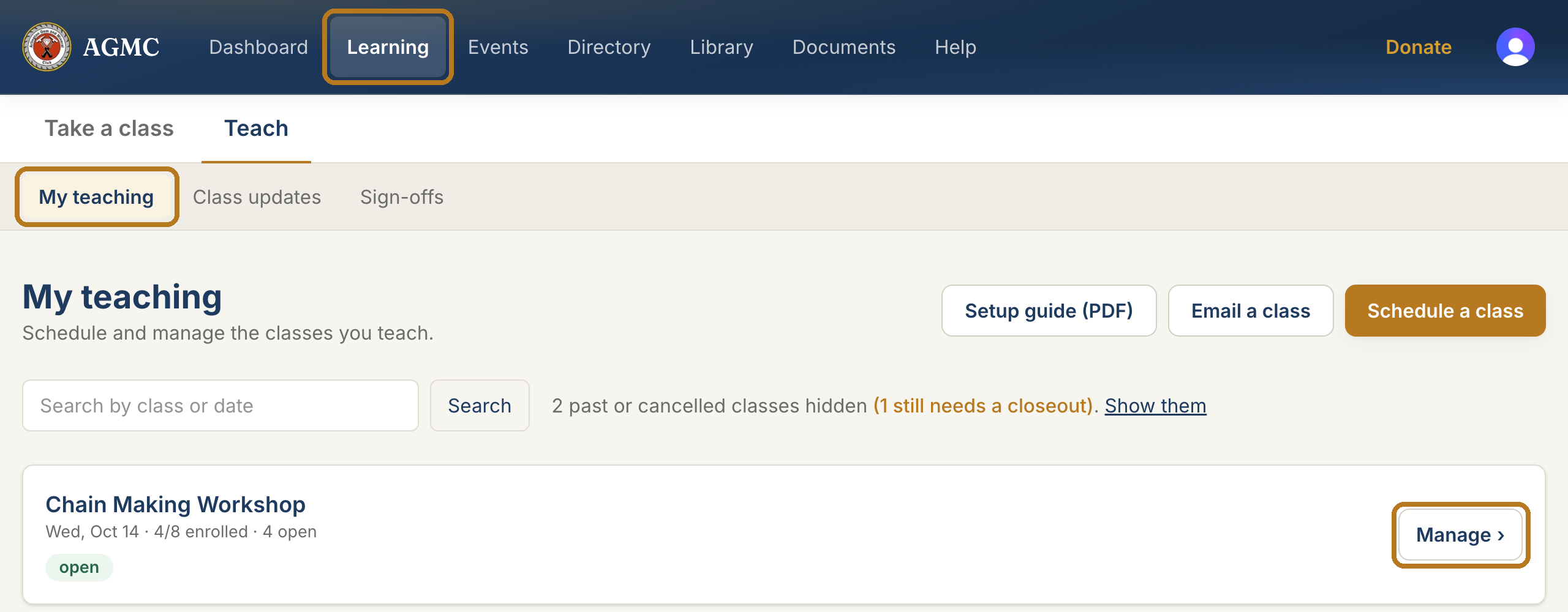
Sign in to www.agmc57.club. At the top of the page, select Learning, then My teaching.
Every class you teach is listed here. Select Manage to open one.

Step 2: Start a new class
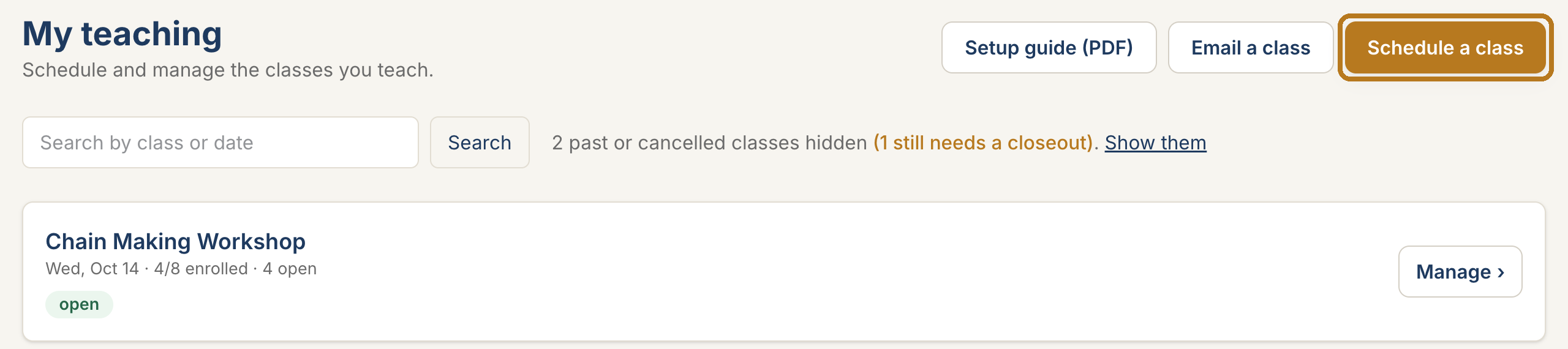
On My teaching, select the gold Schedule a class button.

Step 3: Fill in the class
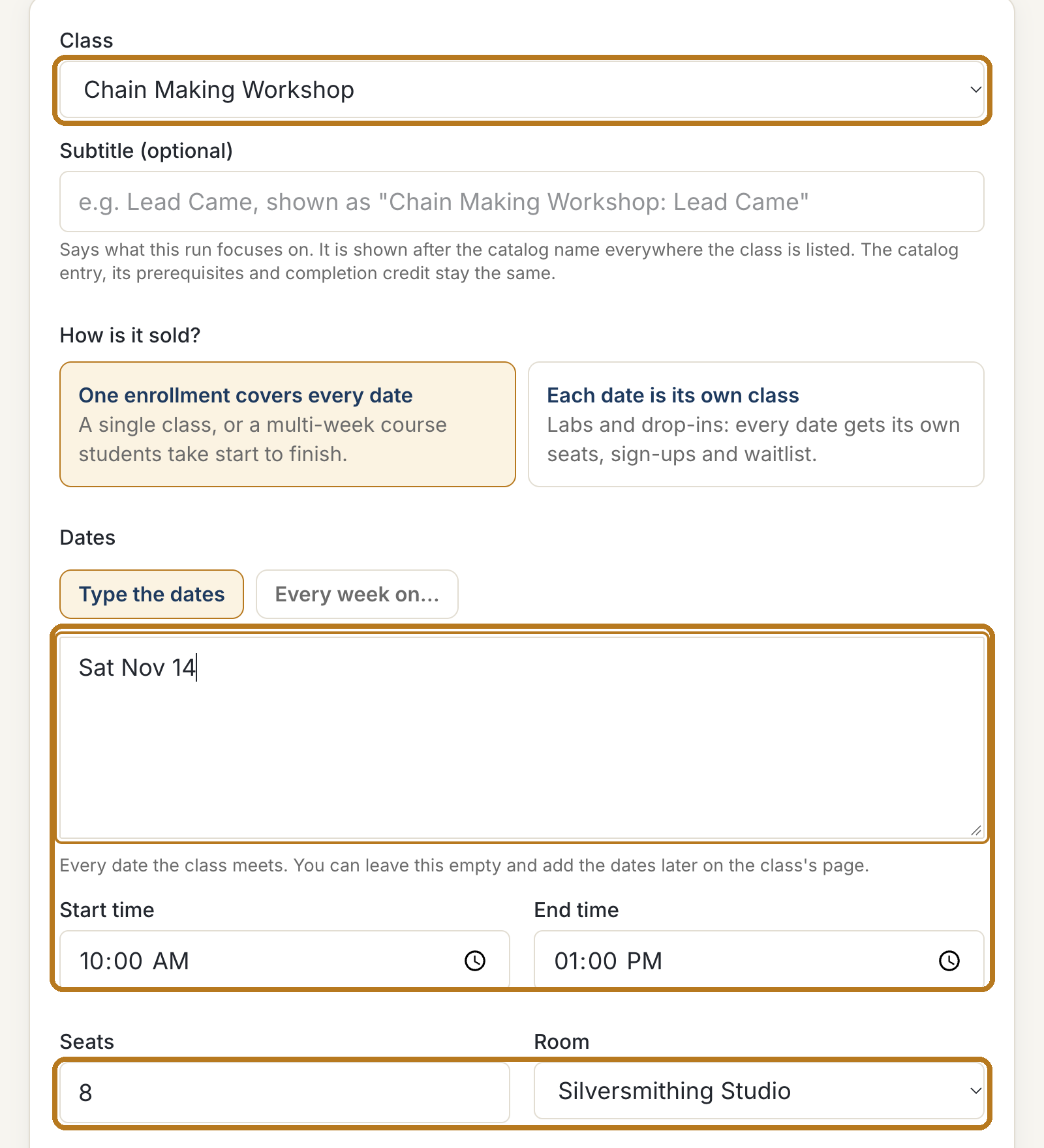
Everything is on one page. Work from the top down.
Class: pick your class from the list. Dates: type the date, like Sat Nov 14, and the start and end time. Seats and Room: how many students, and where.

Step 4: Check the price, then send it
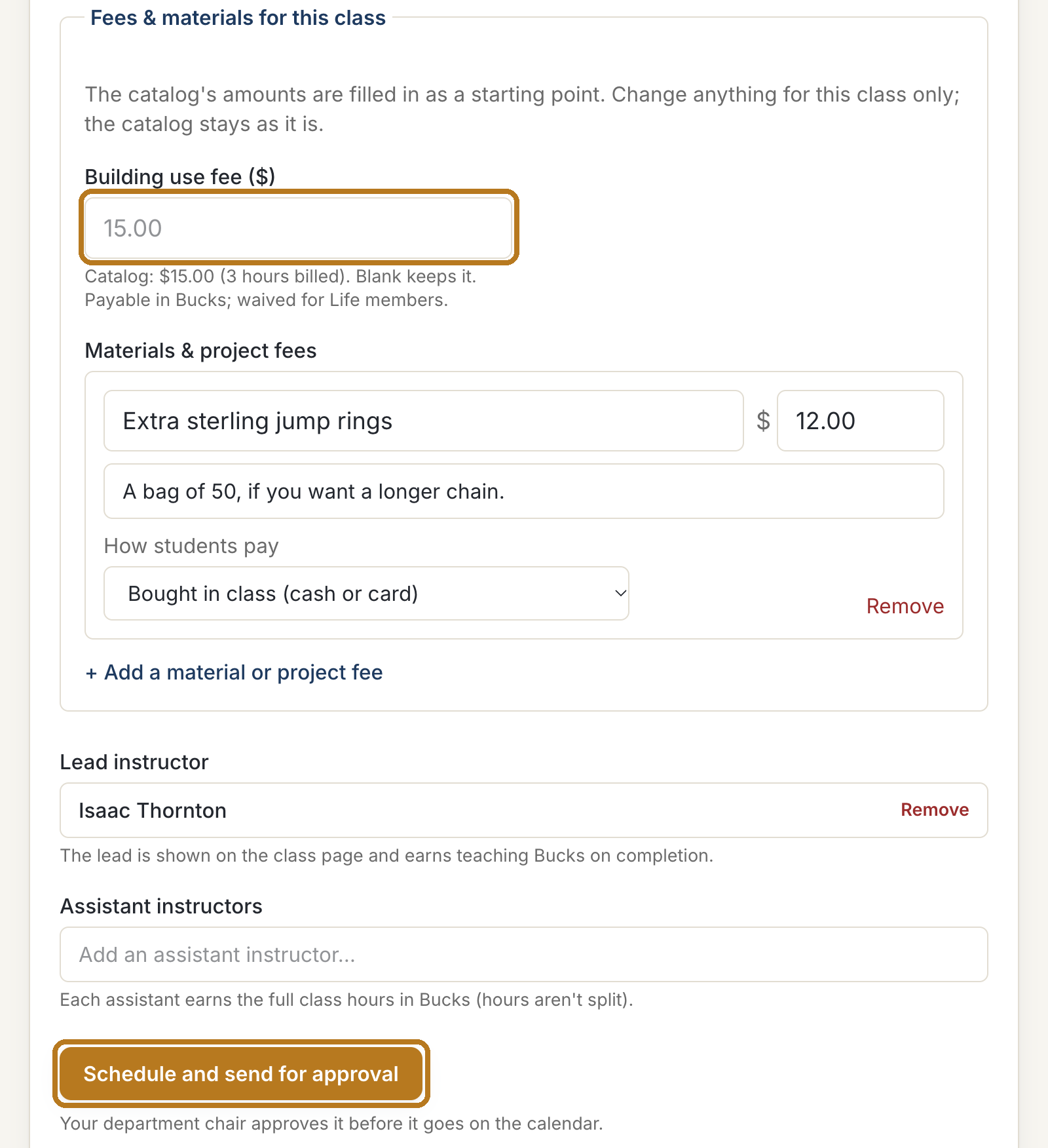
The price is filled in for you. Leave it alone unless your chair told you otherwise.
At the bottom, select Schedule and send for approval. Your department chair gets an email and approves it.

Step 5: Open the class for sign-ups
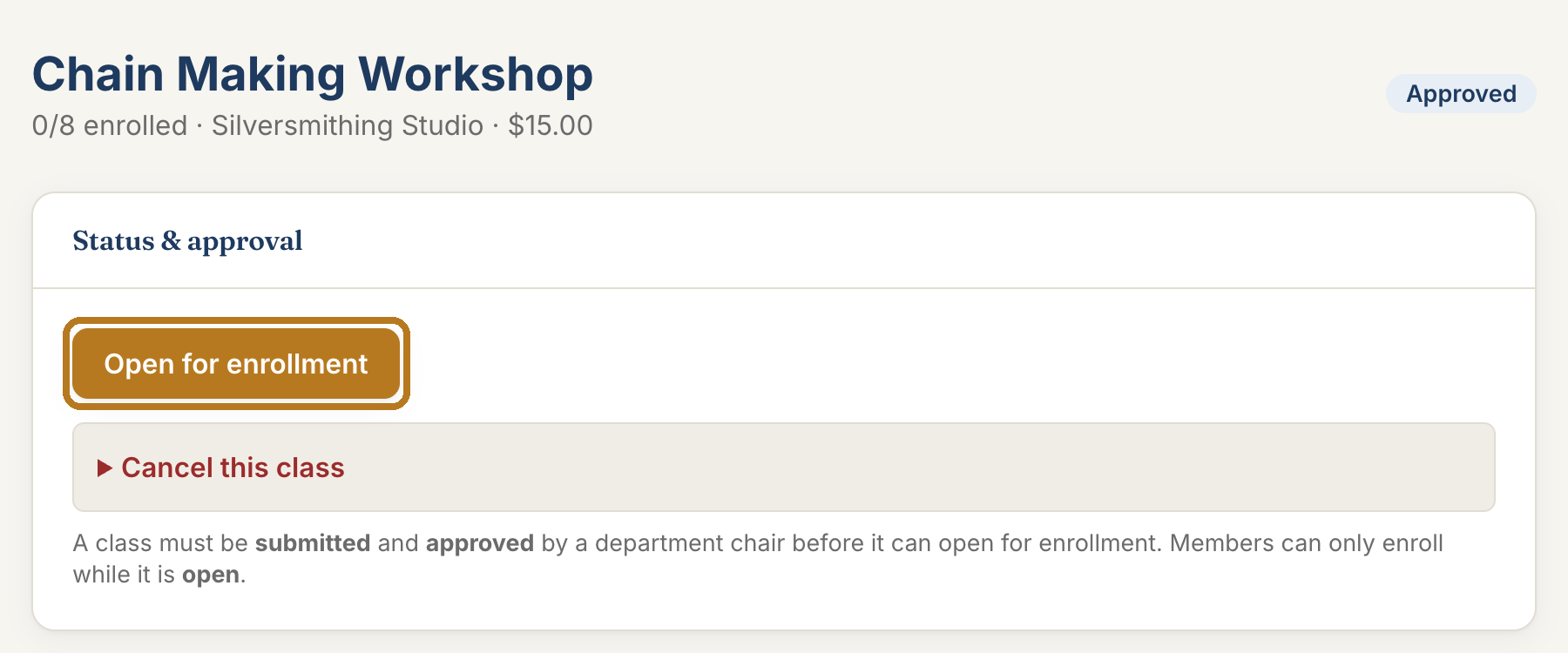
When your chair approves it, open the class (My teaching, then Manage). Select Open for enrollment. Now members can sign up.

Step 6: See who signed up
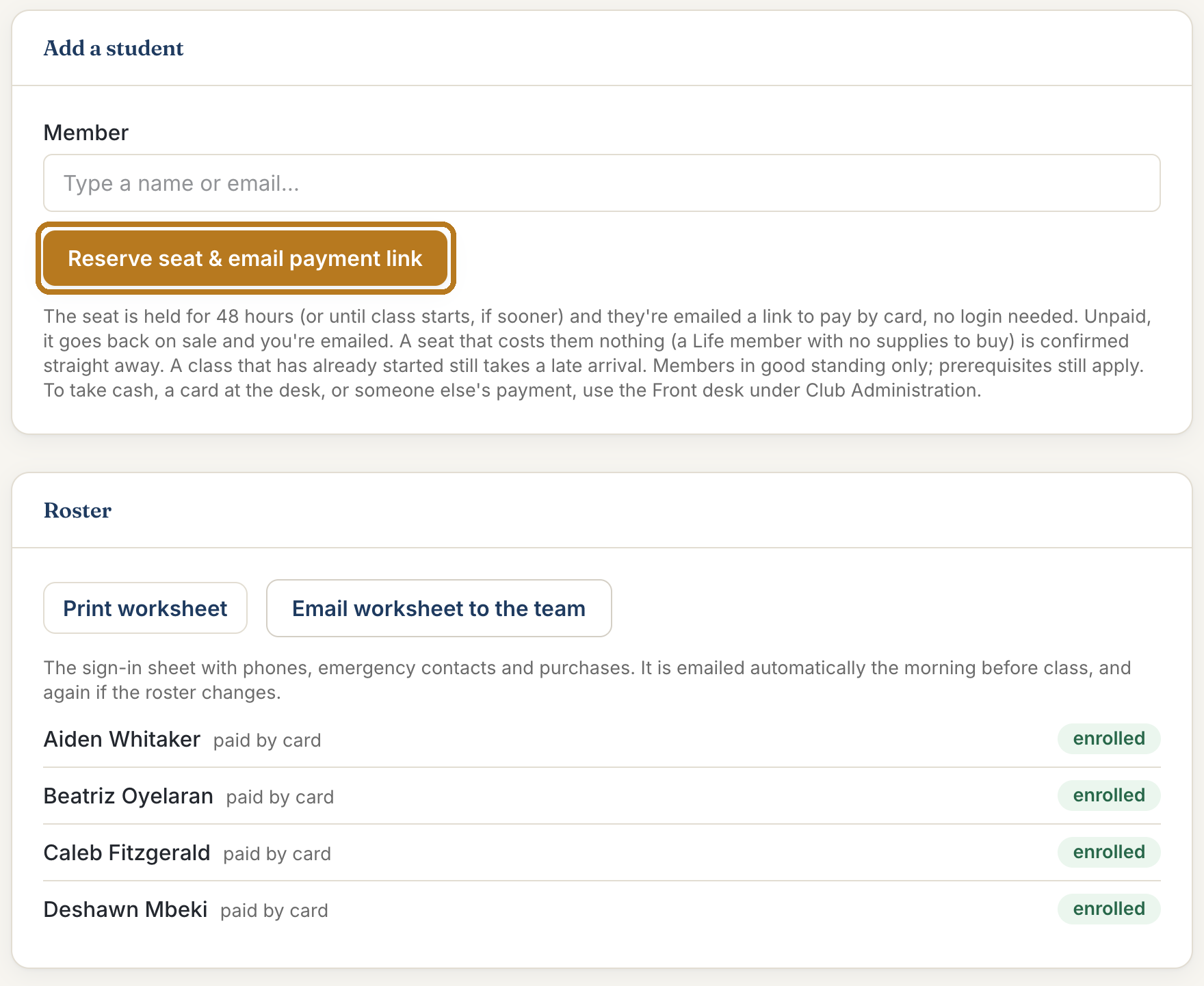
On the class page, scroll down to Roster. Every student is listed.
Someone asked you for a seat? Under Add a student, type their name, pick them, and select Reserve seat & email payment link. They get an email with a button to pay. The seat is held for them for 48 hours.

On the day
Step 7: Print the sign-in sheet
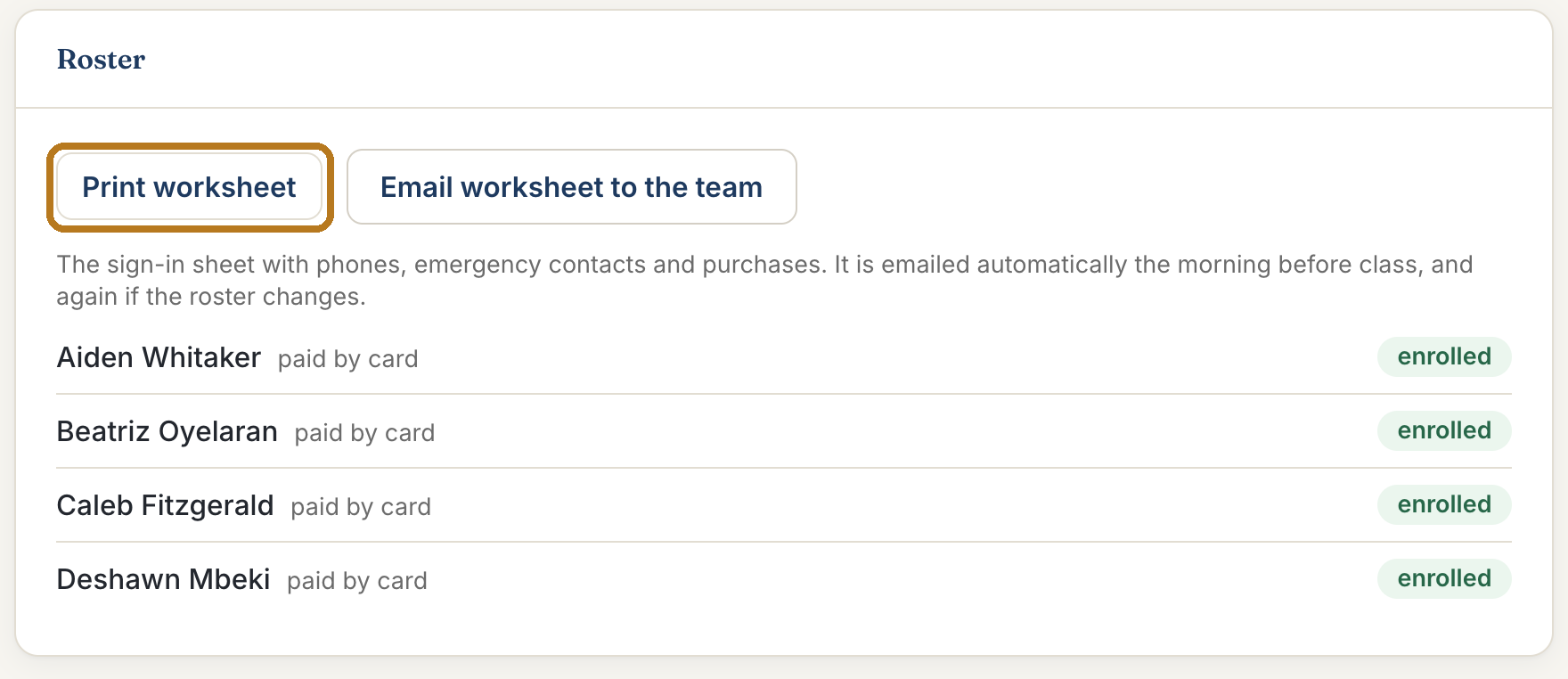
On the class page, under Roster, select Print worksheet.

Step 8: Read the sign-in sheet
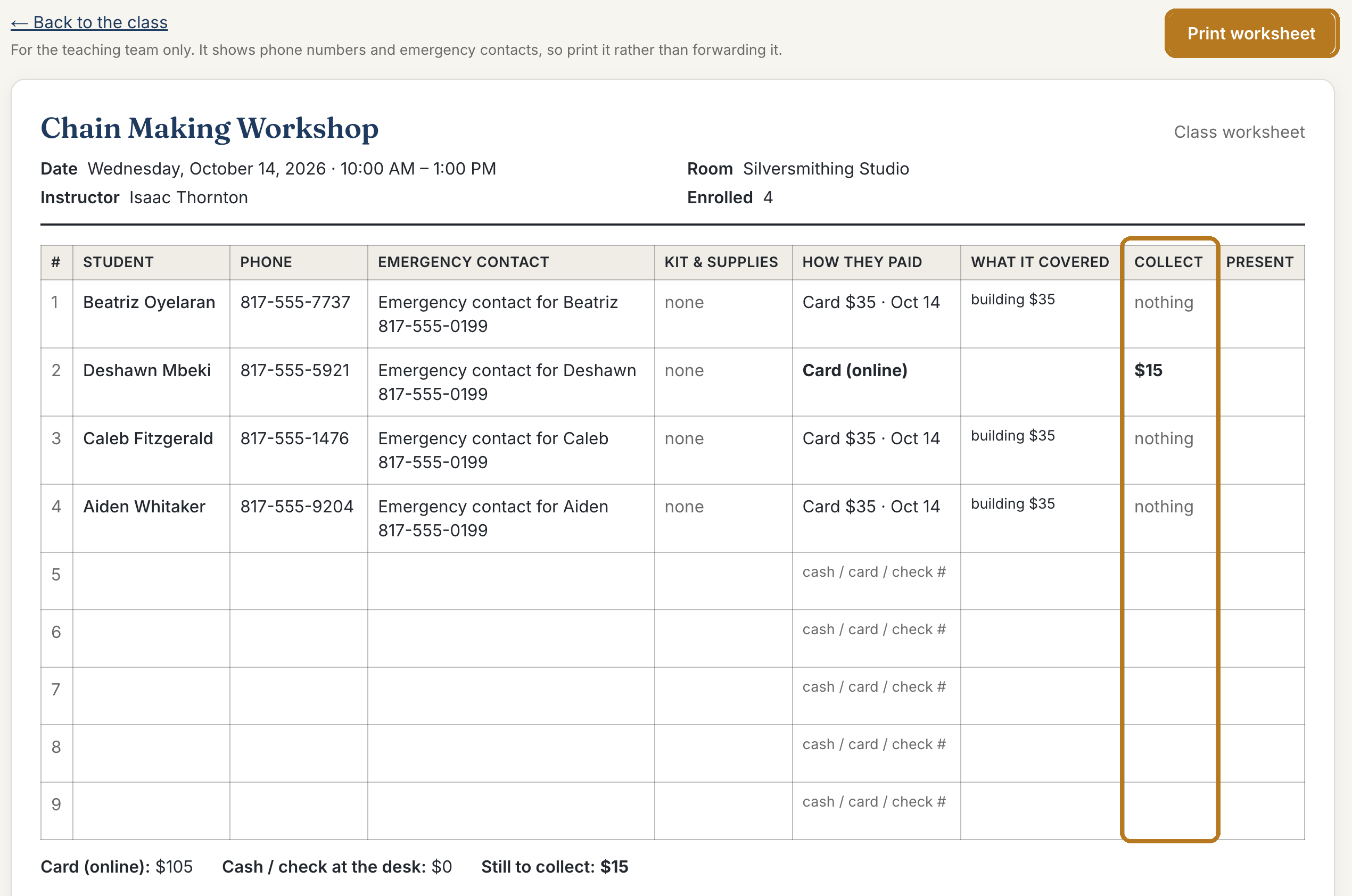
Select Print worksheet again at the top to print it.
Look at the Collect column. If it shows an amount, that student still owes it. Collect it in class: cash, card, or paper Arlie Bucks.
Blank lines at the bottom are for walk-ins. Write their name and how they paid.

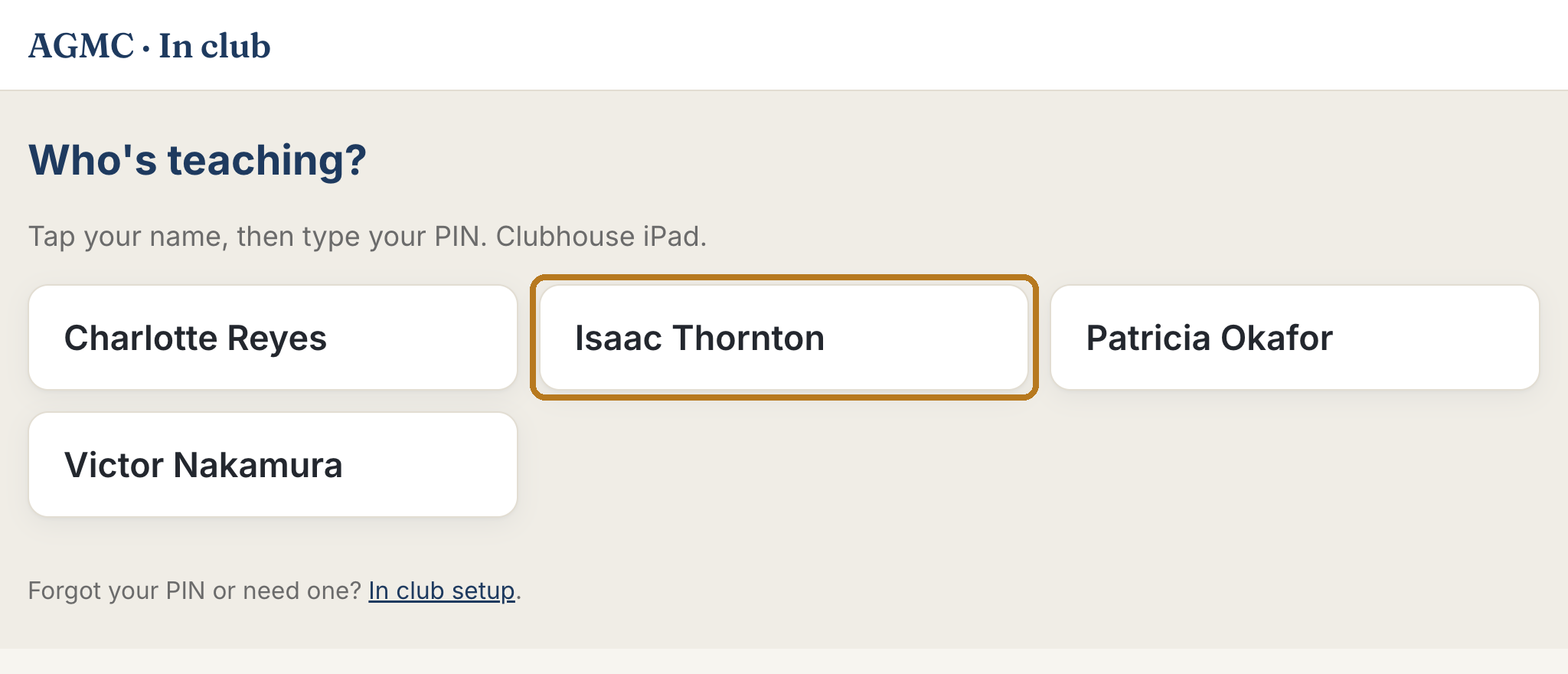
Step 9: On the clubhouse tablet: tap your name
The tablet at the club is the easy way to work during class. Under Who's teaching?, tap your name.

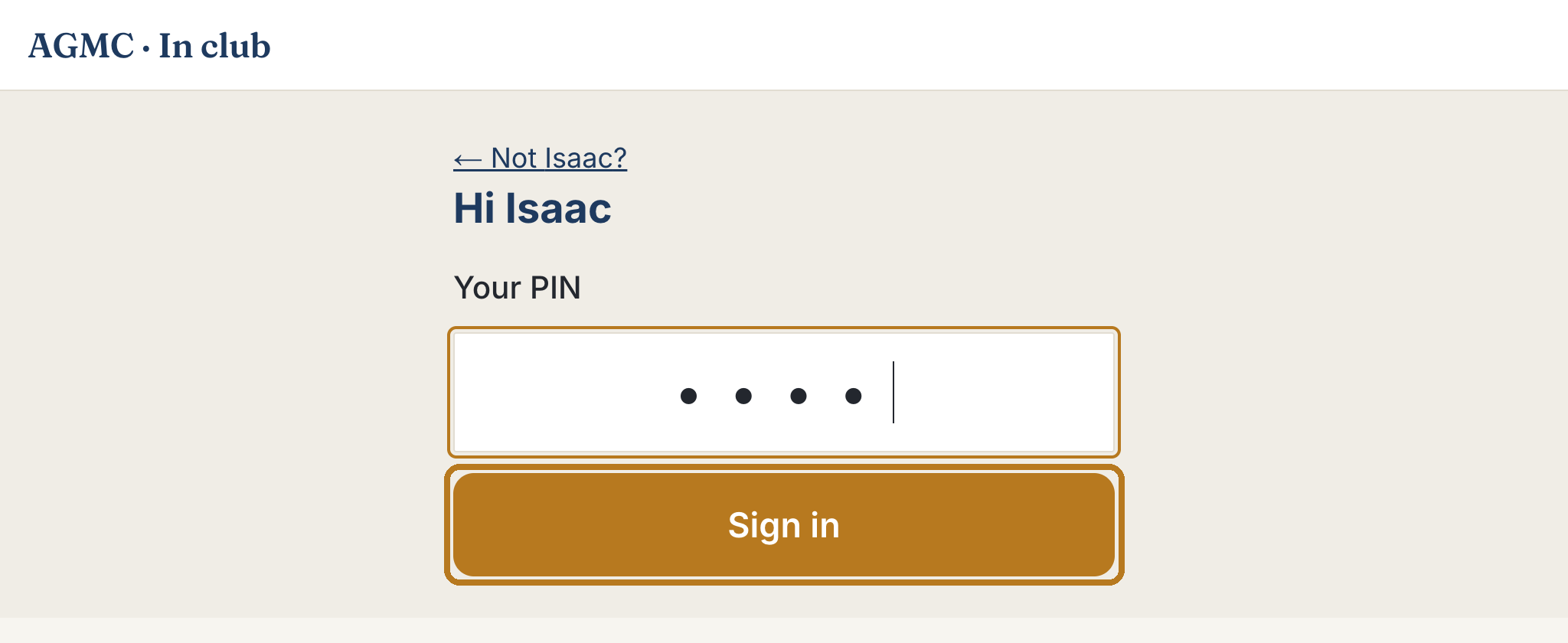
Step 10: Type your PIN
Type your PIN and tap Sign in.

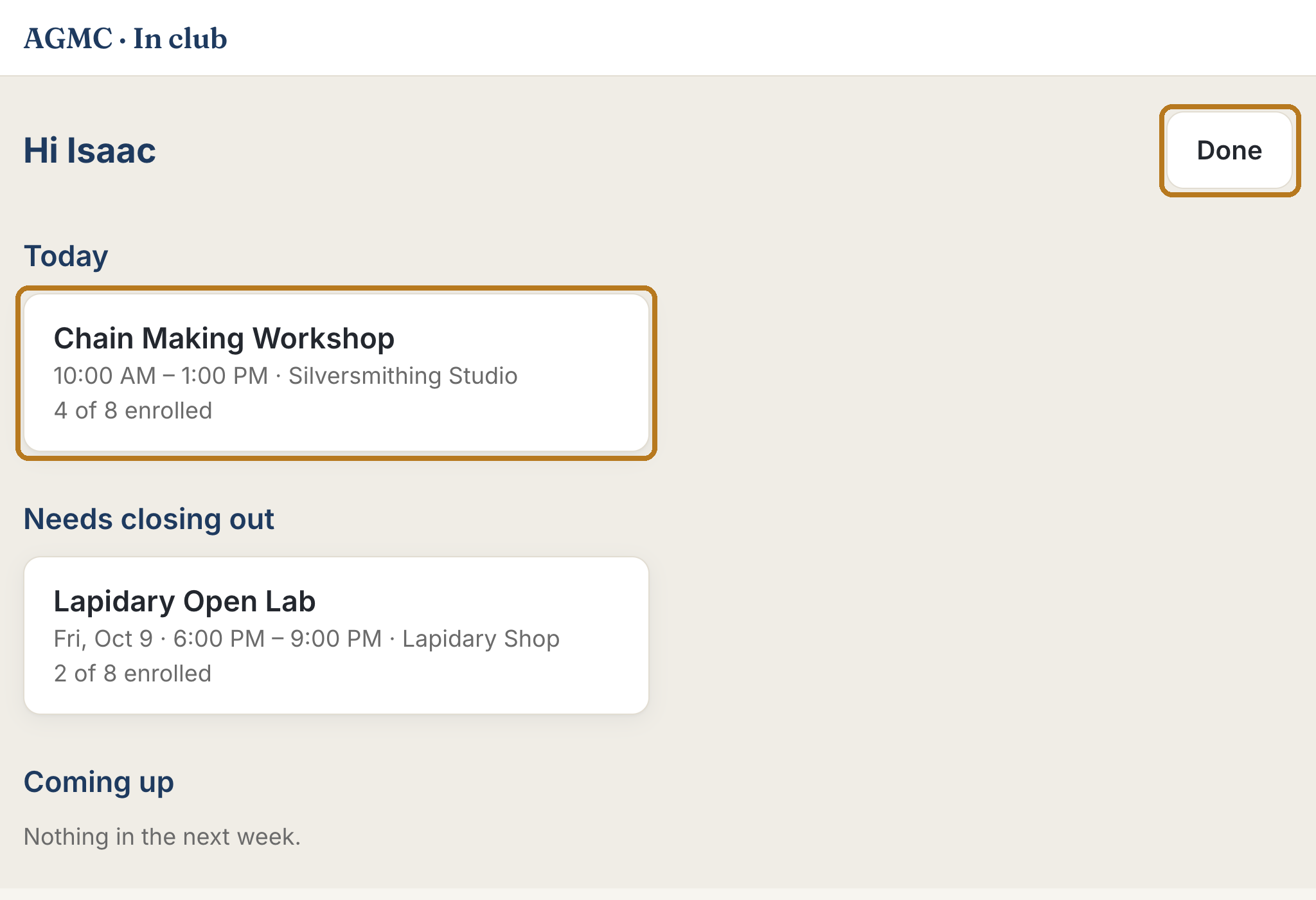
Step 11: Open today's class
Your class is under Today. Tap it.
When you are finished, tap Done. The tablet also signs you out by itself after 10 minutes.

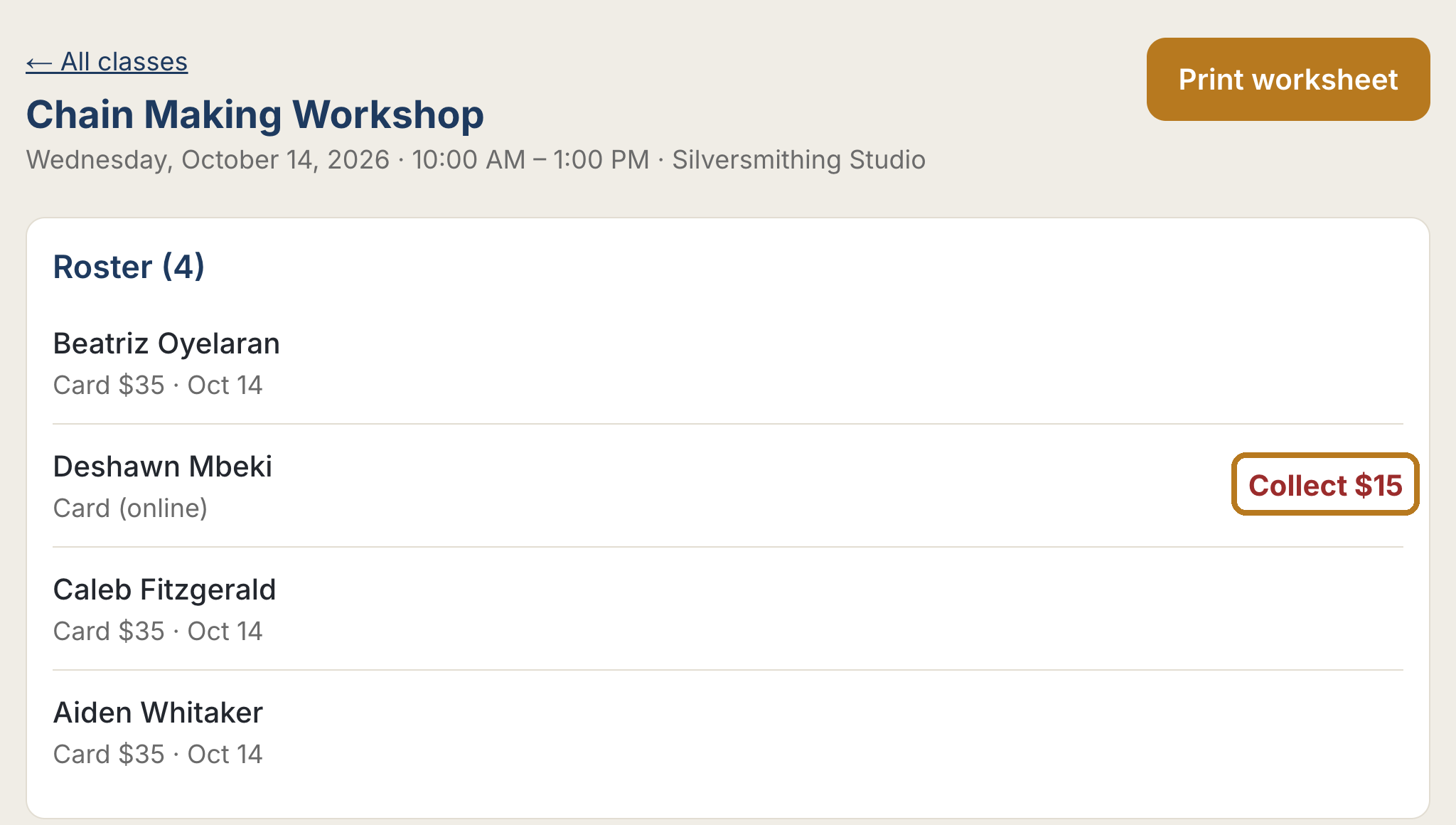
Step 12: See who still owes
The roster lists every student. Anyone who still owes money shows Collect and the amount in red.

Step 13: Someone came who is not on the list
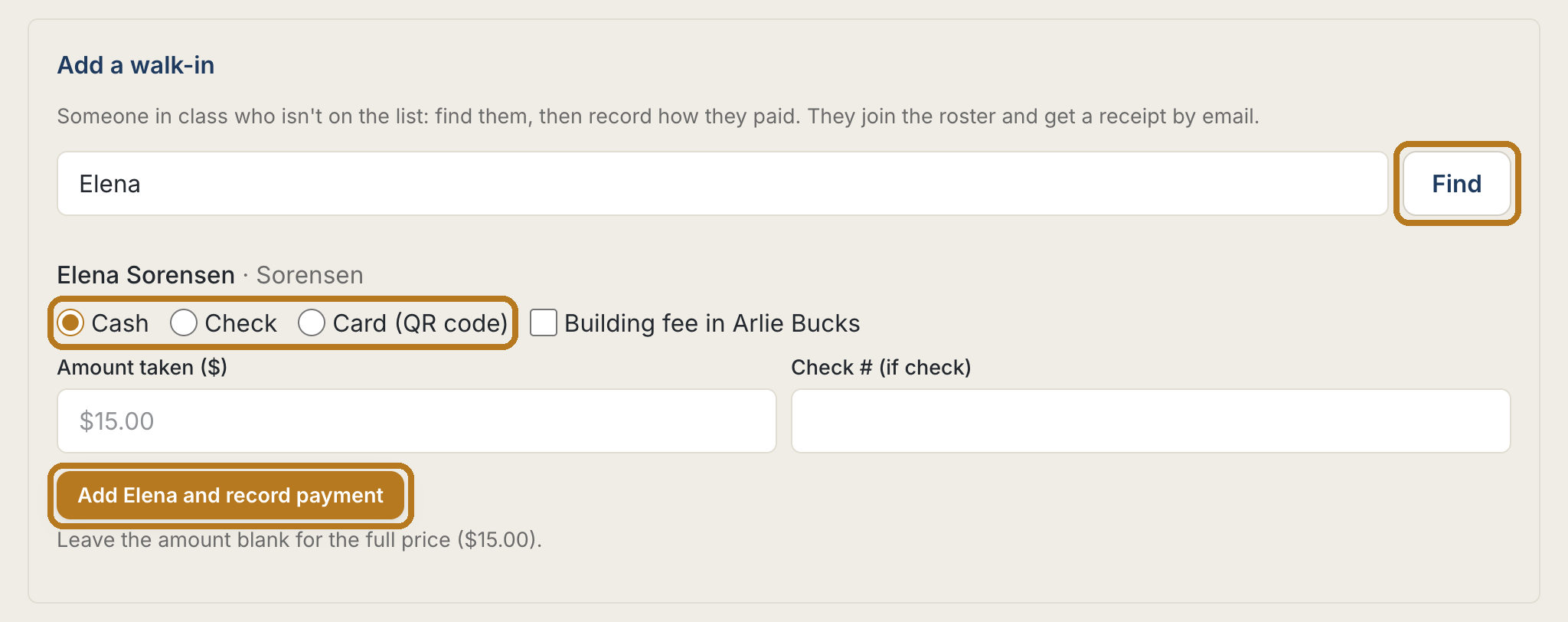
Under Add a walk-in, type their name and tap Find.
Choose how they paid: Cash, Check, or Card (QR code). Then tap the button that says Add with their name. They join the class and get a receipt by email.

Step 14: Sell something in class
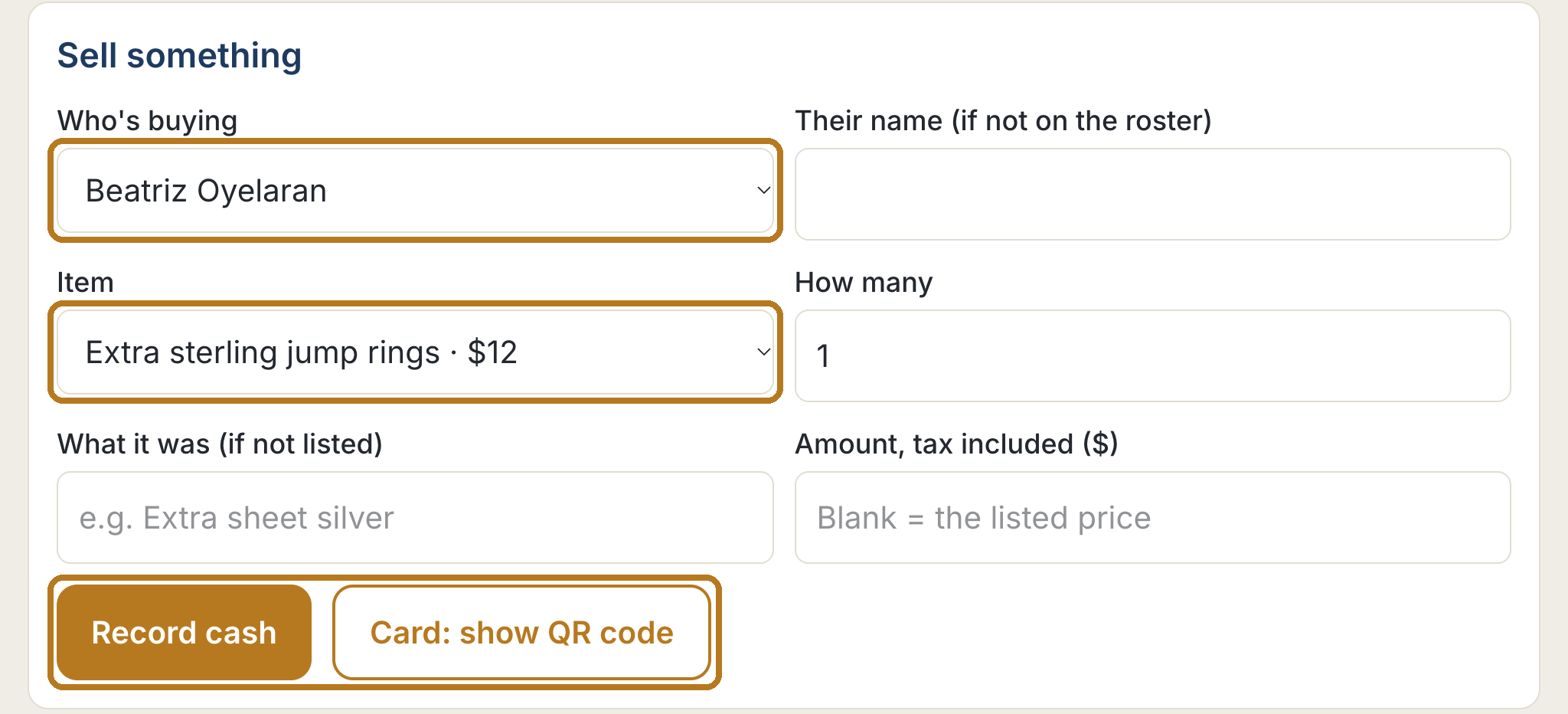
Extra supplies are paid for in class. Under Sell something, pick Who's buying and the Item.
Paid in cash? Tap Record cash. Paying by card? Tap Card: show QR code and let them scan it with their phone. The screen says Paid. Thank you! when it goes through.

After class
Step 15: Open the closeout
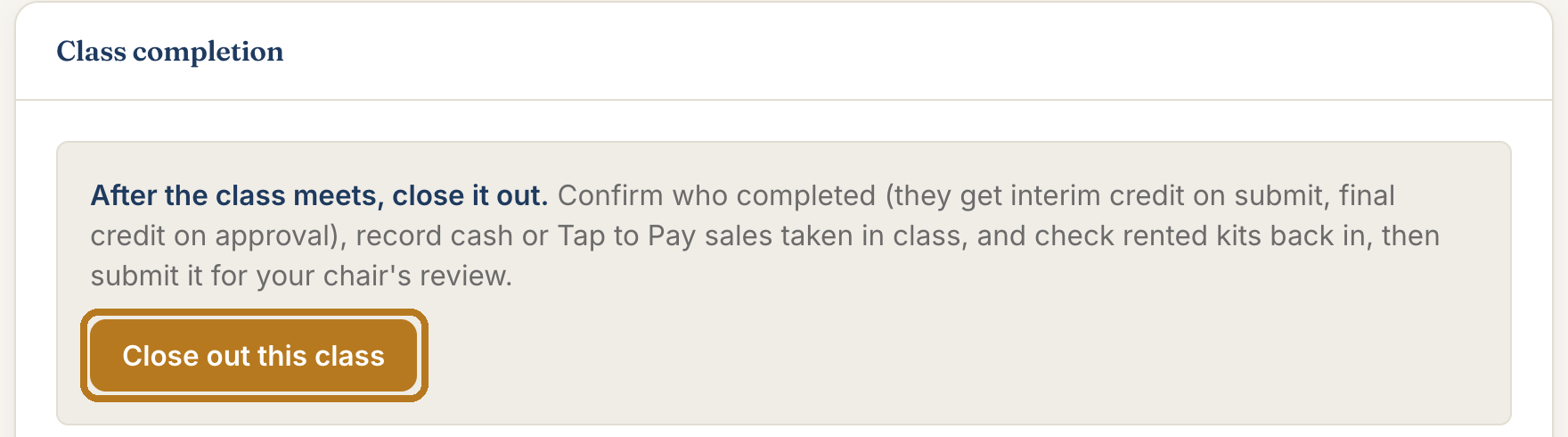
Within a few days of the last class, close it out. On the website, open the class (My teaching, then Manage) and select Close out this class.
The closeout has four numbered boxes. Go through them in order.

Step 16: Box 1: who finished the class
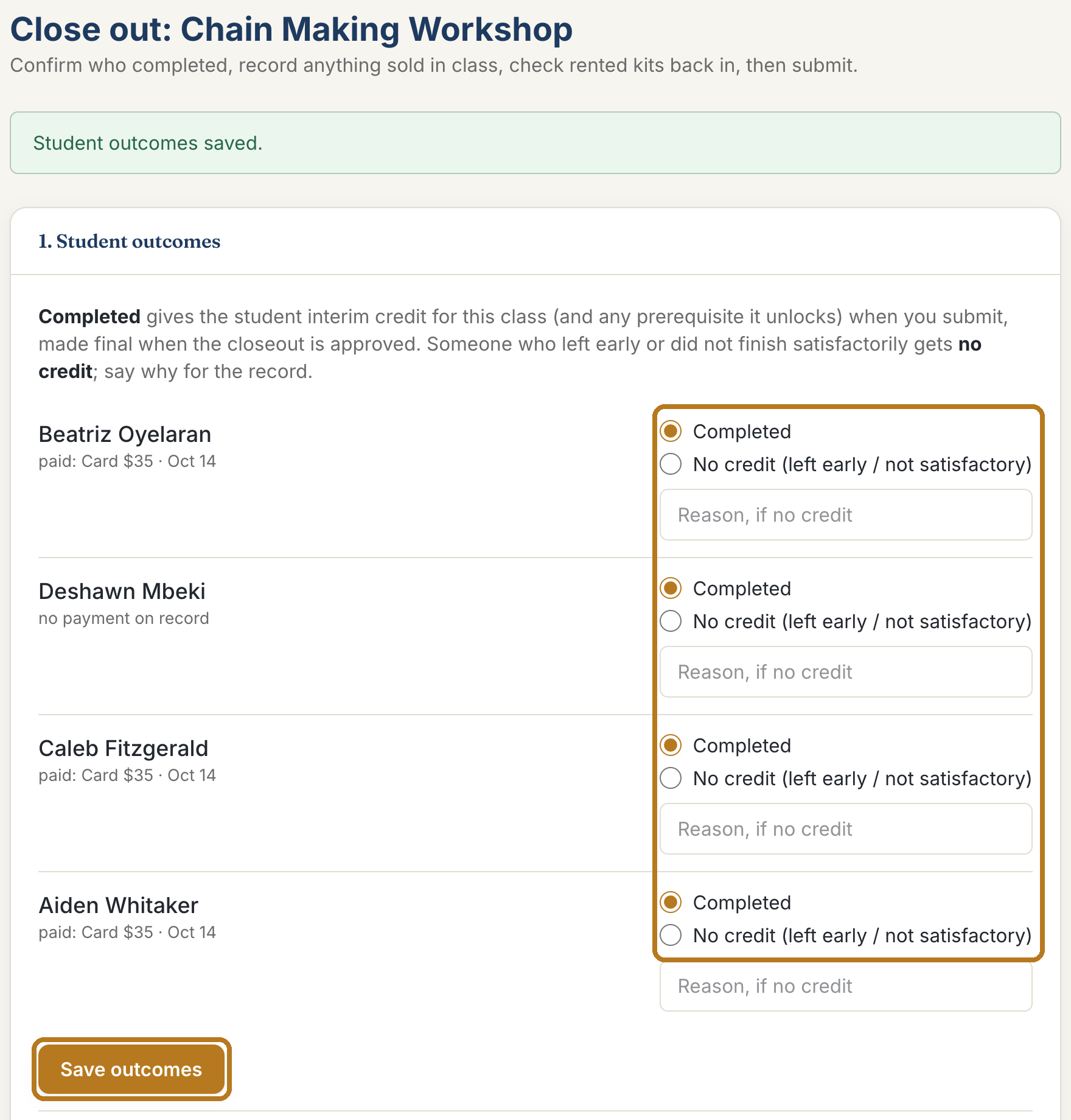
For each student, choose Completed or No credit. If you choose No credit, write a few words about why.
Select Save outcomes.

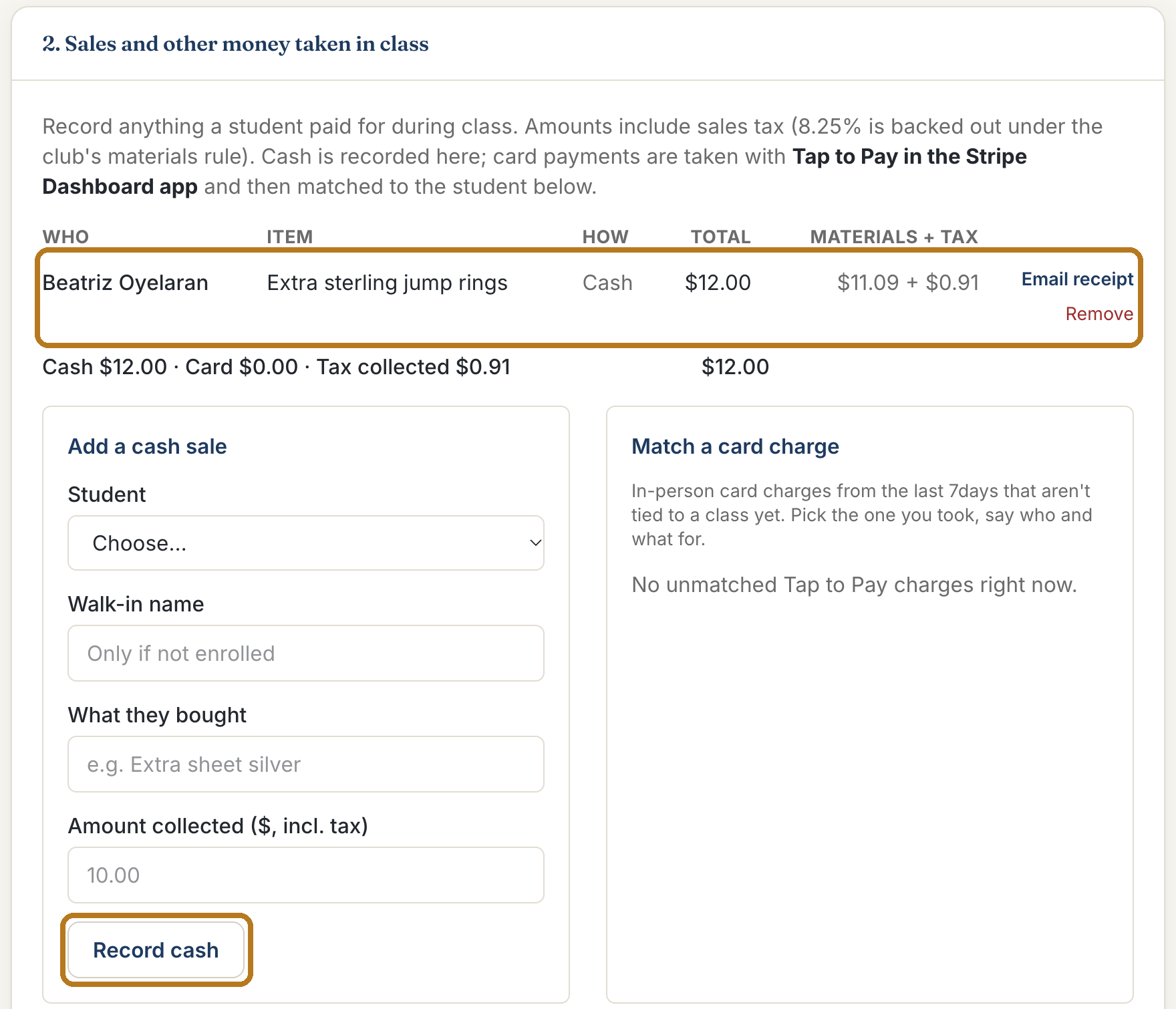
Step 17: Box 2: money taken in class
Everything sold on the tablet is already listed. Check it against your sheet.
Missed something paid in cash? Under Add a cash sale, pick the student, type what they bought and the amount, and select Record cash.

Step 18: Box 3 and Box 4: kits, then submit
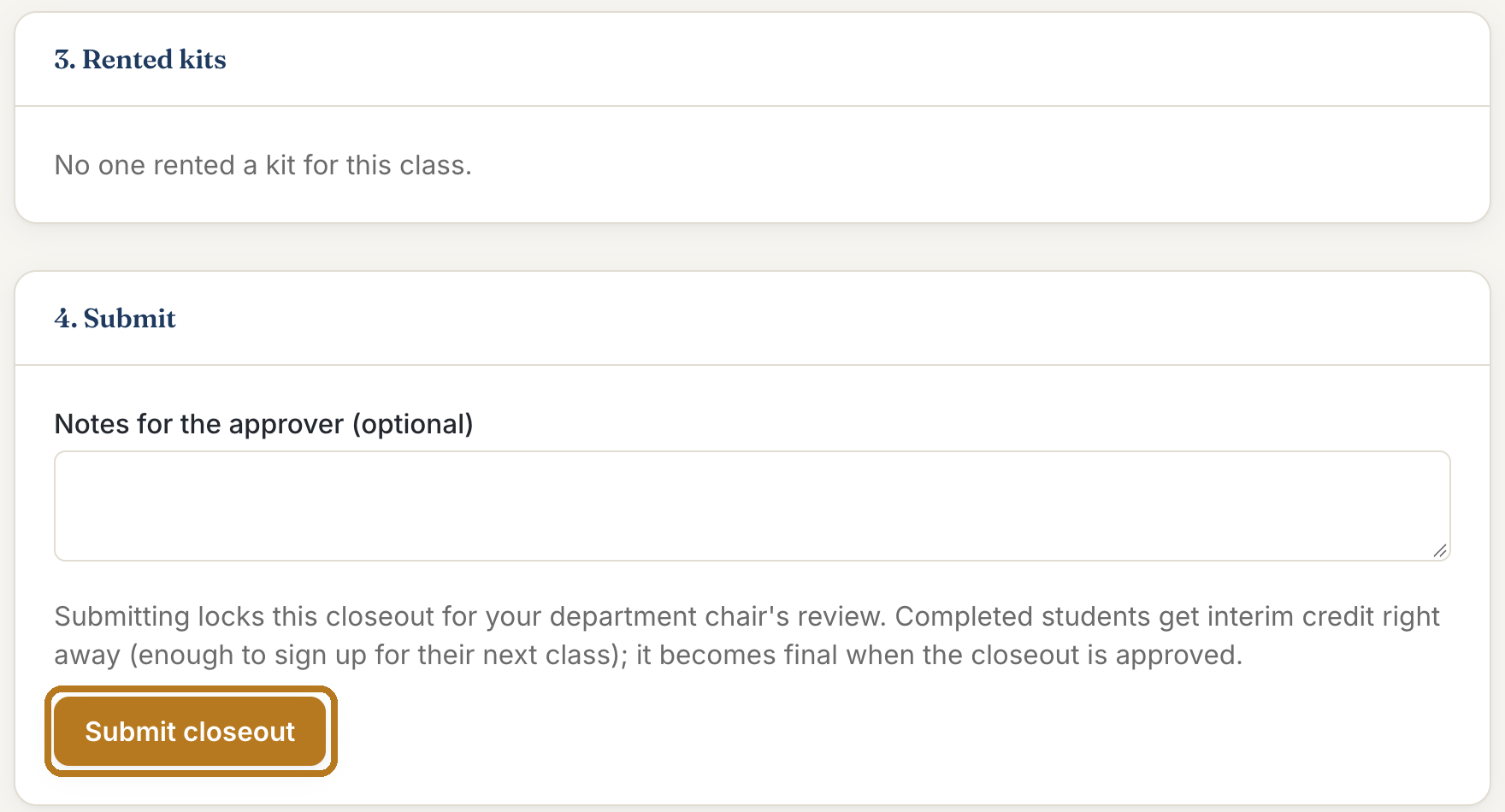
Box 3 only matters if students rented a tool kit: select Mark returned for each kit that came back.
Box 4: add a note for your chair if you like, then select Submit closeout. Completed students get credit right away, so they can sign up for their next class.

Step 19: Your chair approves, and you earn Arlie Bucks
Your chair checks the closeout and approves it. You get an email, and teaching Arlie Bucks are added to your balance: one Buck for every hour the class met. Assistants earn the same.
If your chair sends it back, the email says what to change. Open the closeout, fix it, and submit again.
Need a hand?
Email support@agmc57.club and mention this guide and the step you were on. Nothing you do on the site is permanent: an officer can fix any record, refund any charge, and move any seat.