
Membership runs a full year from the day you join or renew. The site reminds you by email as your term comes to an end, and the same four-step page handles a first-time join, an on-time renewal, and a late one.
Renewing before your current term ends never costs you time: the new year starts the day after the old one finishes.
Step 1: Sign in and open Join / Renew
Sign in with Member sign in. On your dashboard, the Membership card shows your status and the date you are covered through. Select Manage, then Renew on the Membership page. If your membership has already lapsed, the site takes you straight to the renewal page, and Join / Renew appears in the top bar.
You can also type www.agmc57.club/membership/renew into your browser.
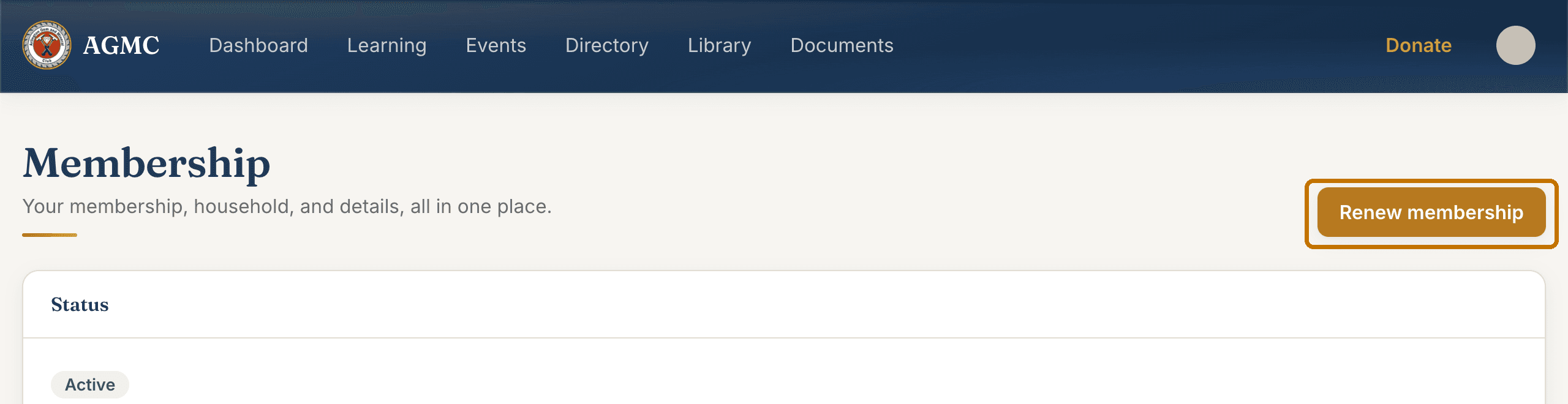
Step 2: Check your details
Step 1, Your details, is filled in from the club's records. Check your name, phone, date of birth, and emergency contact. Name on badge is optional and prints in capitals. Select Save details (or Update details if it was already complete).
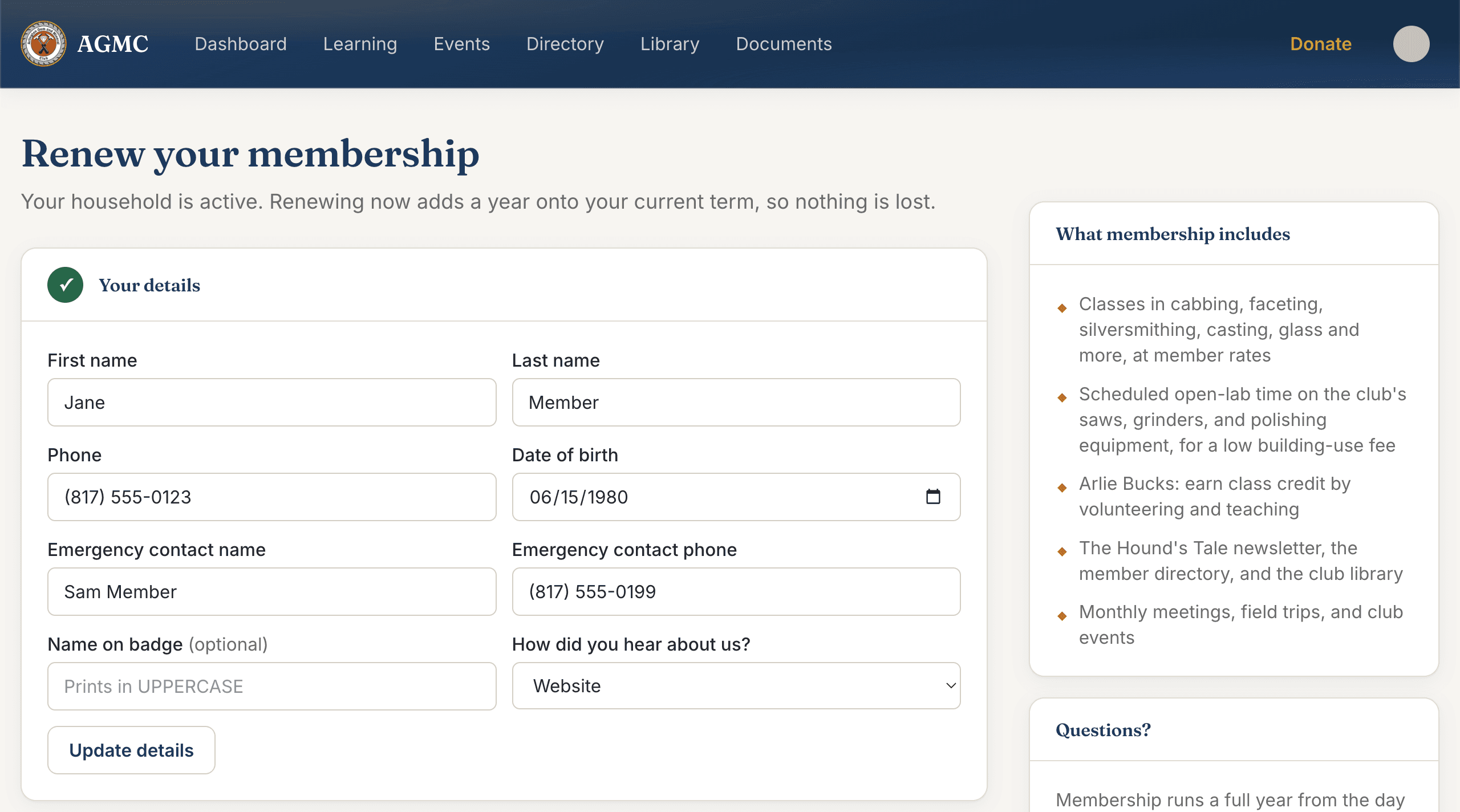
Step 3: Confirm your mailing address
Step 2, Mailing address, is where the newsletter and the occasional letter go. One address covers the whole household. Fix anything that has changed and select Save address.
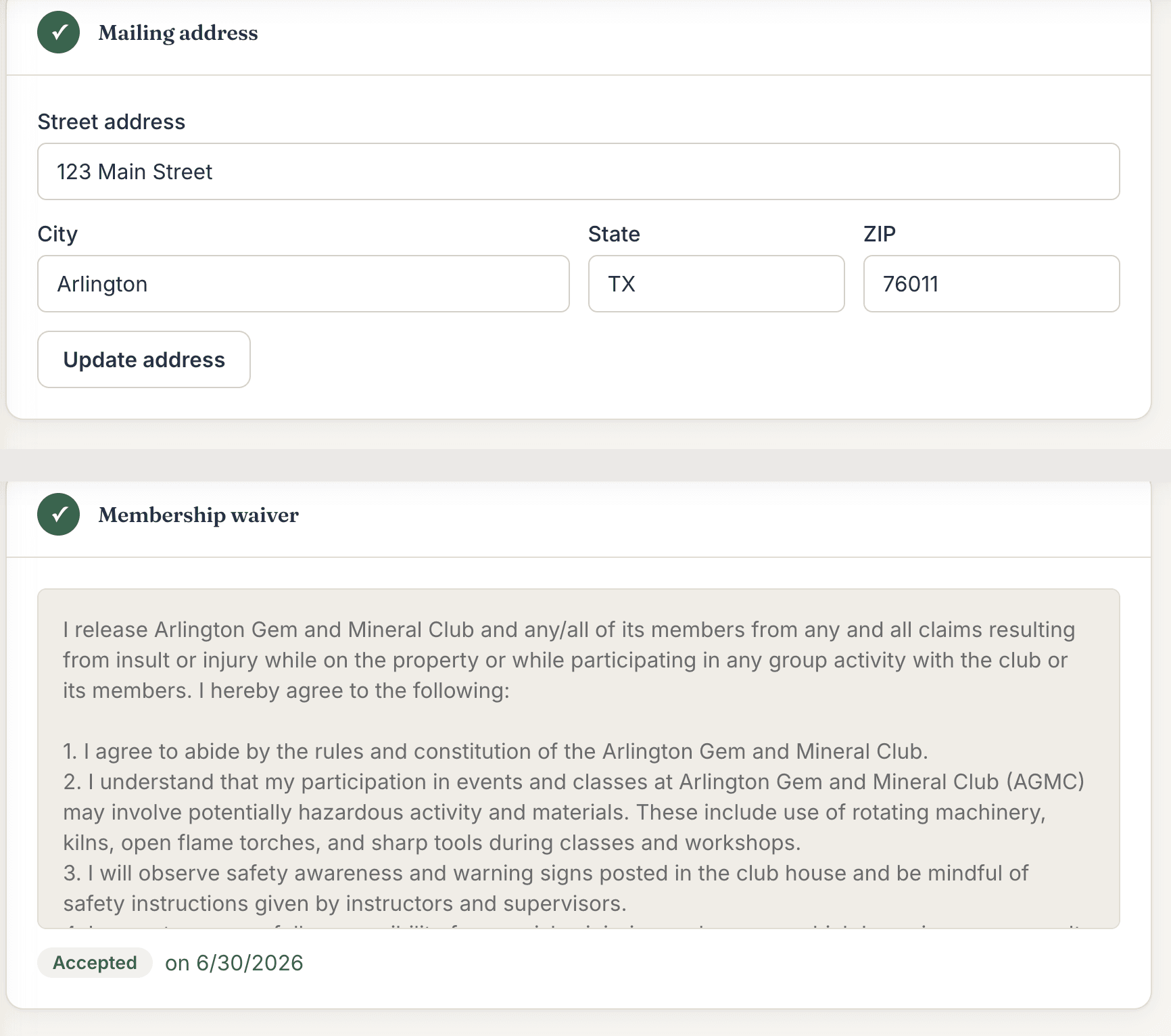
Steps 2 and 3. Both show a green check once they are done. Step 4: Accept the waiver
Step 3 shows the Membership waiver. Read it, then select I have read and agree to the terms. You accept it once per version; if it shows a green Accepted pill with a date, this step is already done.
Step 5: Choose your plan
Step 4, Choose your plan, opens once the first three steps are complete. Pick Adult, Family (two adults and their juniors in one household), or Junior (ages 5 to 16). The price shown is the one you will pay: renewal pricing when you are on time, and a higher rate if you renew after the last day of the month following the month your term ended.
Select Continue to payment.
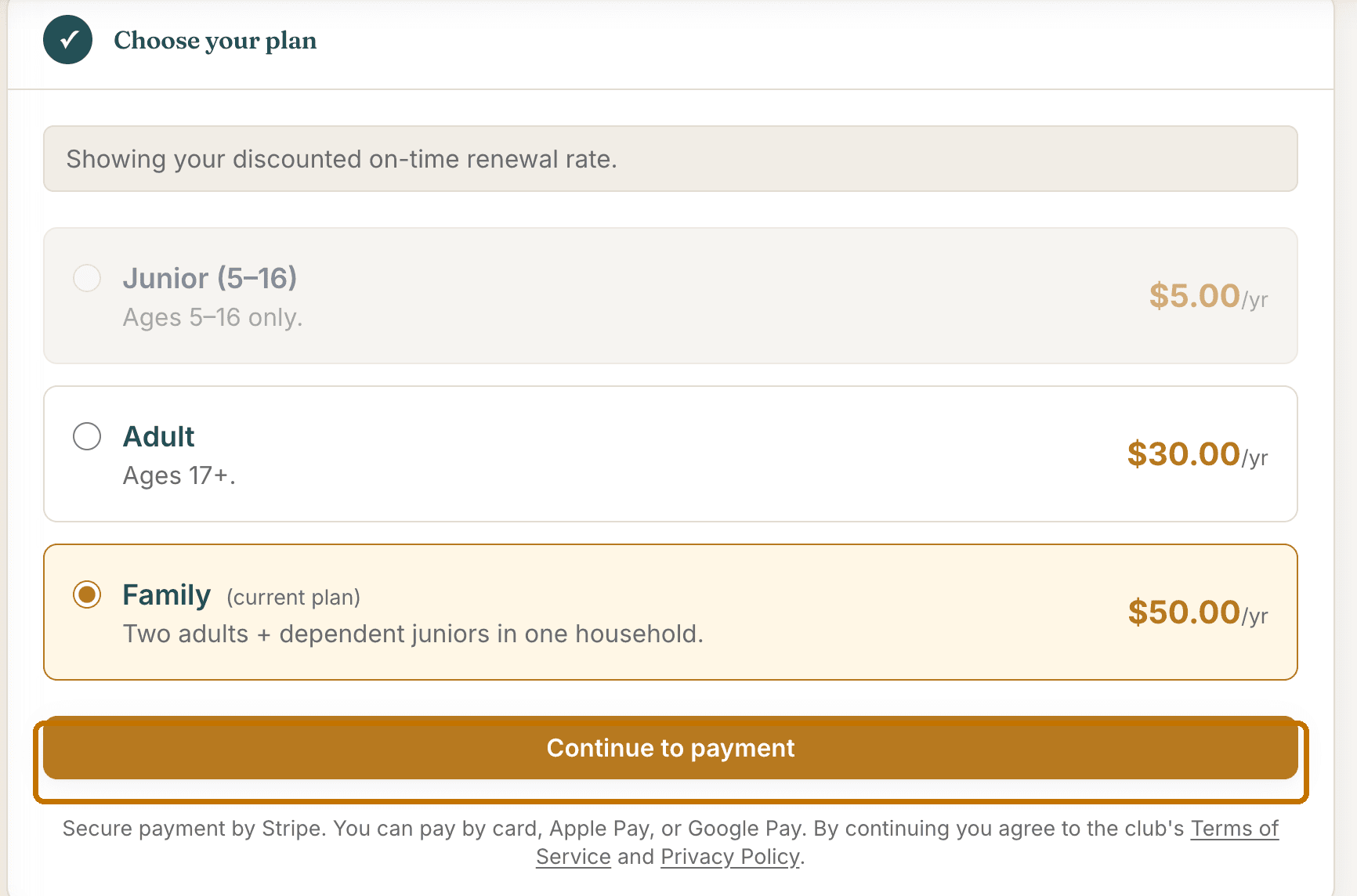
Step 6: Pay
Payment happens on a secure Stripe page. Enter your card, or use Apple Pay or Google Pay if your device offers them, and select Pay.
Stripe sends you back to the club site, which says We're activating your membership now. A moment later it moves you to your Membership page, and a receipt arrives by email. Classes, the lab schedule, the directory and Arlie Bucks unlock straight away.
Step 7: Set up your household
On a Family plan, your Membership page has a Your household section. Invite your spouse or partner by name and email: they get a link that creates their own login, attached to your household. Add each junior with their name and date of birth, and you can enroll them in classes from your own account.
The same page holds your interests, your email preferences, your class transcript, and your payment history.
Need a hand?
Email support@agmc57.club and mention this guide and the step you were on. Nothing you do on the site is permanent: an officer can fix any record, refund any charge, and move any seat.